3D Goods Store: Sorting Games
LifePulse Puzzle Game StudioCasual
4.92.59K Reviews
- Version
- 1.2.7
- Installs
- 1.00M
- Age Rating
- Everyone
Screenshots
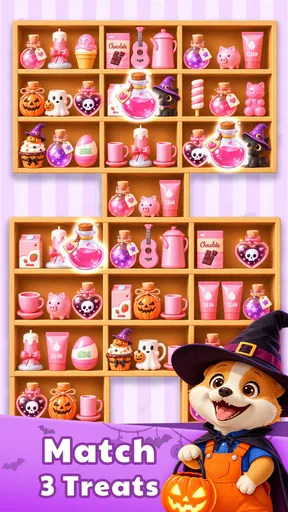
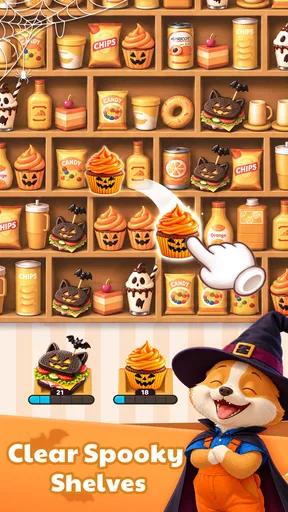
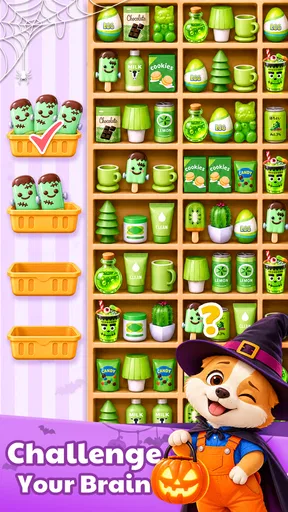
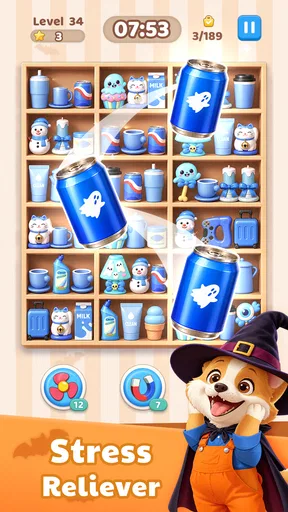
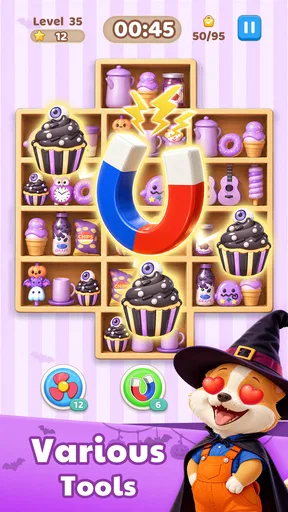
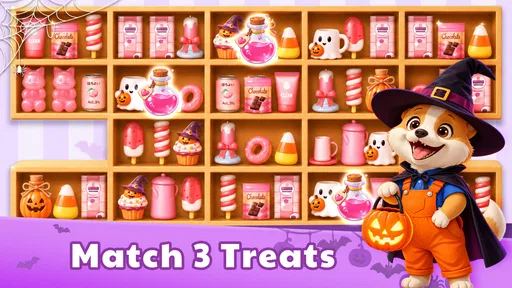

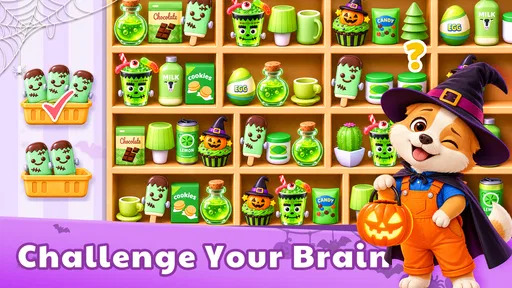
Our Review of 3D Goods Store: Sorting Games
 Analysis by Appyee
I tried 3D Goods Store: Sorting Games as a quick casual game for those small gaps in the day, and its supermarket theme made the first few rounds immediately understandable. The basic idea is to arrange matching three-dimensional goods, clear them from the shelves, and keep working toward the next tidy display. It is simple enough to explain to someone else in a few seconds, but the visual clutter gradually makes each decision more deliberate than the store summary suggests.
That simplicity is especially useful on a shared phone or tablet. One person can play a short round, hand the device to someone else, and the next player can understand the board without needing a tutorial from the previous user. I found that it works well as a casual household game because the challenge is visible on the screen rather than hidden behind a complicated story, account system, or long-term character build.
How the supermarket sorting works in everyday play
In everyday play, I find the useful decision is not just which three goods match, but which match leaves the clearest next choice. I scan the exposed items first, then consider whether removing a trio will open space or make the remaining board harder to read. That small pause turns a quick tap into a deliberate move and sets up the more important question of how each choice changes the pace of a round.
A game that is easy to pass around
The strongest shared-device quality is its low explanation cost. If I gave the game to a friend while waiting for dinner, I would not need to describe a complicated control scheme. The important action is recognizing identical goods and bringing three of them together. The three-dimensional presentation gives the board a more physical feel than a flat tile-matching game, so the first few moments are spent scanning shelves and deciding which items are actually available.
That makes it suitable for short turns between people. A child can enjoy the visual matching, while an adult may focus more on planning the order of removals. Neither player needs to understand the other person's strategy in advance. The board itself communicates what is happening, which is helpful when a device is being shared informally rather than used through separate profiles.
Still, shared use is not the same as shared progress. I would treat this as a pass-the-device experience, not as a game designed around household accounts or individual histories. If several people use the same installation, agree beforehand on whose run is being played and avoid assuming that each person has a separate space. That small boundary prevents the usual confusion over who made a move or used a helpful item.
Why the 3D presentation changes the decisions
In a conventional match-three game, the board is often read as a clean grid. Here, the goods are presented as recognizable objects, and that changes the way I scan the play area. I look for repeated products, but I also have to notice which pieces are accessible and which removal might expose a better match. The supermarket setting is not merely decoration; it gives the sorting task a concrete visual language.
The practical tip is to avoid grabbing the first obvious trio automatically. I get better results by checking what that move reveals and whether it leaves a useful route for another pair. This is one of the game's less obvious lessons: a match can be correct and still be poorly timed. When the board becomes busy, pausing for a moment to map two or three possible matches is more valuable than tapping quickly.
That approach also makes the game more comfortable for a shared audience. Someone watching can understand why a move was chosen and offer a suggestion without taking over the entire session. It becomes a light coordination activity rather than a competition that requires everyone to be equally skilled.
Setup expectations on Android
The game is free to download and is listed for Everyone, which makes it approachable for a broad household audience. It runs on Android versions from 7.0 onward, so it can fit older compatible devices as well as newer phones. The current version is 1.2.7, a detail worth checking when a family member says the game behaves differently on another device.
I would still establish a few practical rules before putting it on a shared tablet. Decide whether the device owner is comfortable with in-app purchase prompts, and make sure younger players know that free installation does not mean every optional item is free. The available purchases range from $0.99 to $99.99 per item, so the safest household habit is to require permission before any purchase, regardless of who is holding the device.
This is not a criticism of the sorting mechanic itself. It is simply an important distinction between a free casual game and a completely cost-free experience. For a personal device, the decision is straightforward. For a shared device, the purchase boundary should be discussed before the first enthusiastic player starts tapping through the screens.
Coordinating turns without making the game stressful
When I use a casual game with other people, I prefer rules that keep the activity light. With this one, a useful arrangement is to give each player a short, clearly agreed turn rather than letting one person continue until the board is finished. That keeps the game social and makes it easier for different ages or skill levels to participate.
Another workable approach is collaborative solving. One person holds the device while the others point out possible triples, but the player holding it makes the final choice. This is more interesting than simply passing the phone after every move because it turns the visual clutter into a small group puzzle. It also reveals a trade-off: the game is relaxing alone, but a group can make it noisier and less personal if everyone gives instructions at once.
I found that the best coordination comes from naming positions rather than products. Saying “the three red packages near the lower shelf” is clearer than shouting the product name when several similar objects are visible. This sounds minor, but it reduces mistaken taps and keeps advice useful when the board is crowded.
Who will enjoy it, and who may not
This casual game is a good fit for people who like visual organization, matching tasks, and short sessions that do not demand a large story commitment. It is also a sensible choice for a household looking for something that can be understood by different players without a long learning curve. The supermarket theme gives the board a friendly, everyday context instead of making every round feel like an abstract test.
I would be more cautious about recommending it to someone who wants deep strategy, competitive multiplayer, or a strong narrative. The satisfaction comes from clearing goods and solving the current arrangement, not from building a character, exploring a world, or mastering a complex ruleset. Players who quickly lose interest in repeated sorting may find the central loop too narrow.
It is also not the best alternative to a traditional match-three game for someone who prefers fast chain reactions and immediate visual fireworks. The 3D goods require more inspection, so the pace can feel slower and more deliberate. That is a strength when I want a small concentration exercise, but a weakness when I am looking for instant arcade energy.
Age context and sensible trust
The Everyone rating makes the game easy to consider for mixed-age use, but an age label does not replace ordinary supervision on a shared device. The most relevant issue here is not the supermarket theme or the matching itself; it is making sure younger players understand which taps are part of play and which may involve an optional purchase.
I would also avoid treating a shared session as proof that every player has the same understanding of the game. A younger user may focus on collecting visible matches, while an older user may plan several moves ahead. Both approaches are valid, and neither needs to be turned into a lesson unless the player asks for help. The game works best when advice remains optional rather than becoming an argument over the “correct” move.
Trust also matters when the device belongs to someone else. Before installing or playing, I would ask the owner whether progress, settings, and purchase decisions should remain under their control. The game is easy to hand around, but the phone or tablet still has one owner. Keeping that distinction clear is more useful than pretending the app creates separate household boundaries.
How it compares with familiar alternatives
Compared with a standard tile-matching game, this title asks me to read objects in a more spatial way. The supermarket goods are easier to recognize than anonymous symbols, but the 3D layout can also make the board feel busier. I prefer it when I want a sorting challenge with a tangible theme; I would choose a flatter puzzle when I want the quickest possible visual read.
Compared with idle supermarket games, the focus is different. I am not mainly expanding a shop, managing stock, or waiting for income. I am actively finding groups of three and deciding what to remove next. That makes each short session more involved, although it offers less of the long-term management feeling that some players expect from a store-themed game.
It also differs from competitive puzzle games because the appeal is personal concentration rather than direct pressure from another player. For a household, that is helpful: a parent and child can discuss a board without one person needing to defeat the other. If your priority is a leaderboard, live rivalry, or a persistent social community, another category of game will probably suit you better.
Small techniques that make crowded boards easier
My first practical rule is to scan in layers. I start with the most exposed goods, then check what may become visible after a removal. This prevents me from spending too much attention on an item that cannot yet be used effectively. The second rule is to preserve flexibility: if two possible triples are available, I usually prefer the move that opens more of the surrounding area.
A third useful habit is to slow down when only a few spaces remain. Early moves often feel forgiving, but late mistakes are more expensive because the remaining goods have fewer places to go. I treat the final portion of a round as a planning phase rather than a race. This is where the game feels most different from a simple tap-to-match activity.
For shared play, I would add one more rule: the person who spots a match should explain it before anyone touches the screen. That gives the holder time to verify the suggestion and avoids accidental moves. It also makes the session fairer when one player has sharper eyesight or more experience with the layout.
Performance, cost, and the wider picture
LifePulse Puzzle Game Studio presents this as a casual game, and the large audience supports that positioning: it has passed one million installs, with a 4.9 average from around 58 thousand ratings and roughly 2.6 thousand written reviews. Those figures suggest that the basic loop has connected with many players, though popularity alone does not guarantee that its slower sorting rhythm will suit everyone.
The free entry point is a genuine advantage for trying it on a household device. I can see whether the visual style and pace work for the intended players before spending anything. The trade-off is that optional purchases can become significant, especially if several people use the same device and each person interprets a helpful item as a harmless one-time decision.
I would therefore recommend keeping the game in the “free unless explicitly approved” category at home. That keeps the financial boundary clear without taking away the enjoyment of the core sorting rounds. For a personal player who dislikes any purchase prompts, the experience may feel less comfortable than a paid puzzle with everything unlocked from the start.
My household verdict
After spending time with it, I see 3D Goods Store: Sorting Games as a friendly, visually readable sorting game that works particularly well for short solo sessions and informal pass-the-device play. Its best quality is the way the supermarket objects make matching understandable while still leaving room for planning. I enjoyed it most when I treated each board as a small organization problem rather than tapping through it as quickly as possible.
For a household, I would install it with clear expectations: the game is free to start, the Everyone rating makes the theme broadly approachable, and the shared-device experience is easiest when turns and purchase permissions are agreed in advance. It does not replace a dedicated multiplayer game or a deep strategy title, but it does not need to. Its role is smaller and more practical.
My recommendation is simple: choose it if you want a calm, object-based matching game that different people can understand quickly, and skip it if you need competitive play, a story, or a completely purchase-free environment. Used within those boundaries, it is an enjoyable little supermarket puzzle and a surprisingly workable option for a shared phone or tablet.
Verdict
Strengths of 3D Goods Store: Sorting Games
- Relaxing 3D sorting gameplay suitable for short breaks.
- Simple controls make it accessible for most age groups.
- Varied objects keep levels from feeling too repetitive.
- Offline play is convenient when no connection is available.
- Gradual difficulty provides a satisfying sense of progress.
Limitations of 3D Goods Store: Sorting Games
- Some levels may feel repetitive after extended play.
- Hints or extra moves may be limited without watching ads.
- Small 3D objects can be difficult to distinguish on phones.
- Later stages may rely more on precision than strategy.
- Frequent ads can interrupt the flow between levels.
Other Releases by LifePulse Puzzle Game Studio
View All


Similar Picks in This Category
View All
My Talking Angela
Outfit7 Limited4.2

My Talking Tom
Outfit7 Limited4.3

Pou
Zakeh4.2

My Talking Tom 2: Pet Game
Outfit7 Limited4.3

Candy Crush Saga
King4.6

Bridge Race
Supersonic Studios LTD4.1
Frequently Asked Questions
What is 3D Goods Store: Sorting Games?
3D Goods Store: Sorting Games is a casual organization and puzzle game focused on arranging three-dimensional products on shelves. You sort matching items, tidy up store displays, and complete increasingly challenging levels. The gameplay is easy to understand, but later stages require better observation, planning, and time management as shelves become more crowded and available moves become more limited.
How do you play 3D Goods Store: Sorting Games?
The main objective is to organize products by placing identical or related items together, usually within limited shelf space. You tap, move, and combine goods while looking for the correct arrangement. Successful sorting clears sections of the store and allows you to progress. Although the controls are simple, careful planning is important because placing an item in the wrong position can block access to other products.
Is 3D Goods Store: Sorting Games free to download and play?
The game is generally available as a free download, allowing players to try its core sorting levels without an initial purchase. However, free-to-play games commonly include optional advertisements, bonus offers, or in-app purchases for extra hints, lives, boosters, or other conveniences. Before downloading, check the current Google Play or App Store listing for the latest pricing and purchase information.
Does 3D Goods Store: Sorting Games require an internet connection?
Some parts of 3D Goods Store: Sorting Games may work without a permanent internet connection, which makes it suitable for short sessions while traveling or when mobile data is unavailable. Nevertheless, an internet connection may be needed for advertisements, cloud features, updates, events, rewards, or purchases. Offline availability can vary between versions, so it is best to test the game after installation.
Is 3D Goods Store: Sorting Games suitable for children and casual players?
The game is designed to be approachable, with straightforward tapping controls and colorful three-dimensional products that make the basic mechanics easy to learn. It can appeal to casual players who enjoy tidy-up, matching, and organization puzzles. Parents should still review the age rating, advertising practices, and in-app purchase settings, since the exact content and monetization options may change with updates.
Play our best games!


